
Next.js 16 in Production: What the App Router Demands From Teams
Version numbers on the Next.js framework are not marketing labels — they are material differences in caching semantics, rendering contracts and build tooling. This is what shipping App Router projects on the current major actually requires from an engineering team.
Why Version Specificity Matters
Ask an agency what framework they use and you will hear "Next.js" — an answer that has become almost meaningless. The framework has shipped multiple majors in recent years, and the differences between them are not cosmetic: caching semantics changed, the middleware system was replaced, route parameters went async, and the bundler swapped out entirely. A team whose mental model formed on an older major will consciously produce sites that build slowly, cache incorrectly, or break outright on the current release.
This matters to buyers as much as engineers. If you are commissioning a website, the specificity question is a legitimate hiring screen: ask which major version the team ships on today and what changed in it. A serious team answers with names of the changes, not with reassurances. This article is our own answer, written from a codebase that runs the current major in production right now.
The App Router Contract
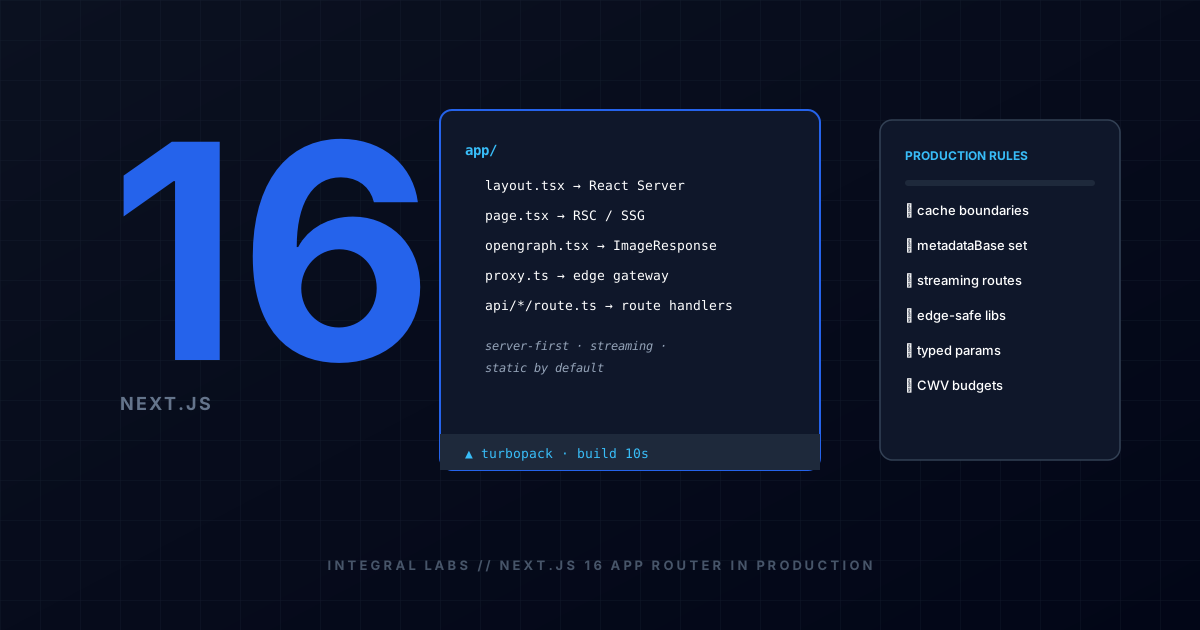
Every file in the application directory carries meaning, and every component is a React Server Component by default. That single sentence is the contract. Server Components run on the server, never ship their code to the browser, and can render directly against your database or CMS. The 'use client' directive is an explicit exception you add at the leaf of the tree for the interactive minority — forms, dropdowns, animations.
The React 19 Server Component model pairs with streaming: a route renders its static skeleton immediately and fills in slower sections as their data resolves, rather than blocking the entire page on the slowest query. This is also why the answer to "is it fast?" is architectural rather than configurational — pages that static-render at build time, or stream server-first, arrive under aggressive latency budgets that client-rendered single-page applications cannot meet, which includes the budgets alive AI agents and search crawlers now enforce.
- layout.tsx wraps every route beneath it; page.tsx is a route's entry point. Shared UI lives in layouts, not duplicated in pages.
- Data fetching lives in Server Components by default — no client-side waterfalls unless you deliberately create one.
- Suspense boundaries define what streams first; put them around the slow parts, not around everything.
- Server Actions and route handlers replace hand-rolled API layers for the majority of mutations.
Turbopack and the New Build Reality
On the current major, Turbopack is the default engine for development and production builds — the old bundler is a fallback you must deliberately opt into. In our builds, the immediate observable difference is the dev loop: compilation that used to take tens of seconds on large route trees now lands in a fraction of that, and full production builds of a content-heavy marketing site finish in seconds-to-low-minutes instead of minutes-to-high-minutes.
The production implication runs deeper than speed. Webpack-era assumptions — plugin ecosystems, exotic loader chains, config files tuned per project — mostly do not transfer. Turbopack expects standards-conformant TypeScript and CSS, which quietly enforces a healthier codebase: fewer build-time hacks, fewer dependency forks, more standard imports. Teams folded into niche webpack gymnastics need to untangle that debt before upgrading, because the tooling will not carry it.
Our own site — this article included — builds on the current major with Turbopack and deploys statically. Everything described here is verifiable in our source, not hypothetical.
Metadata and OG Image Conventions
The metadata system is file-conventional and colocated: a page exports a metadata object, or an async generateMetadata when titles and descriptions depend on fetched data. Two changes bite migrators. First, route parameters and search arguments arrive as Promises — you await them, a typing change that touches every dynamic page. Second, canonical URLs, OpenGraph images and favicons each have dedicated file conventions; a colocated opengraph-image file generates social-card images at build time via ImageResponse from next/og, rendering JSX into a PNG without any external design tooling in the loop.
That last convention is more valuable than it looks. Social and AI-link previews are generated from the same source of truth as the page content, so they can never drift from it, and they regenerate on every build for free. For a content-led business — the kind running the publication you are reading — it removes an entire class of manual design work.
Migration Notes From Earlier Versions
The upgrade from earlier majors is mechanical where the changes are interface-level, and architectural where they are caching-level. The headline replacements: middleware has been superseded by a proxy convention with different placement and semantics; per-request route data is awaited, not destructured synchronously; and several implicit caching behaviours were tightened so that nothing caches by accident across requests. The framework ships codemods covering most mechanical edits, but codemods cannot decide your packaging boundaries.
- Inventory every middleware usage and decide whether it belongs in the new proxy layer or in the route tree itself.
- Grep for params and searchParams destructuring — every hit needs an await and likely a type update.
- Audit any reliance on implicit caching; make caching deliberate per route, not inherited by accident.
- Check the dependency list for webpack-specific tooling and edge-incompatible packages before the first build attempt.
- Budget a real staging pass on Core Web Vitals after migration — rendering changes can shift LCP element timing even when everything 'works'.
Questions to Ask Before You Sign
If you are the buyer rather than the engineer, the version-specificity discussion compresses into three questions. Which major version is my project shipping on, and what changed in it? Can you show me two live sites you shipped on that major — sites I could run through a performance tool right now? And who owns the code, the domain and the deployment infrastructure when the invoice is paid?
Teams that ship deliberately answer the first with named changes, the second with working URLs — not screenshots — and the third with a documented handover. Teams that cannot are telling you their framework knowledge predates the rendering model your site will run on. Ask all three on a discovery call; the serious teams will not flinch.
Architecting digital systems for modern search and scale
Integral Labs builds custom software systems and Next.js web applications with built-in semantic schemas, sub-second Core Web Vitals, and modern AEO knowledge graph structures.
Related Technical Analyses
How to Choose Between a Website and a Custom Web Application
A marketing website communicates information; a web application executes transactions, workflows, and stateful logic. Knowing the architectural differences prevents costly over-engineering or premature platform limitations.
Core Web Vitals: What They Mean for Website Performance
Google's Core Web Vitals directly connect user experience metrics to search visibility. Understanding LCP, INP, and CLS allows engineering teams to optimize render paths and eliminate sluggish interactions.
What Does Website Development Cost in Uttarakhand? An Honest Breakdown
Every buyer wants a number before they call, and every local agency publishes a price list that answers the wrong question. Here is what actually moves a website project's cost, why published package lists mislead, and how to get a real, fixed quote within 24 hours.